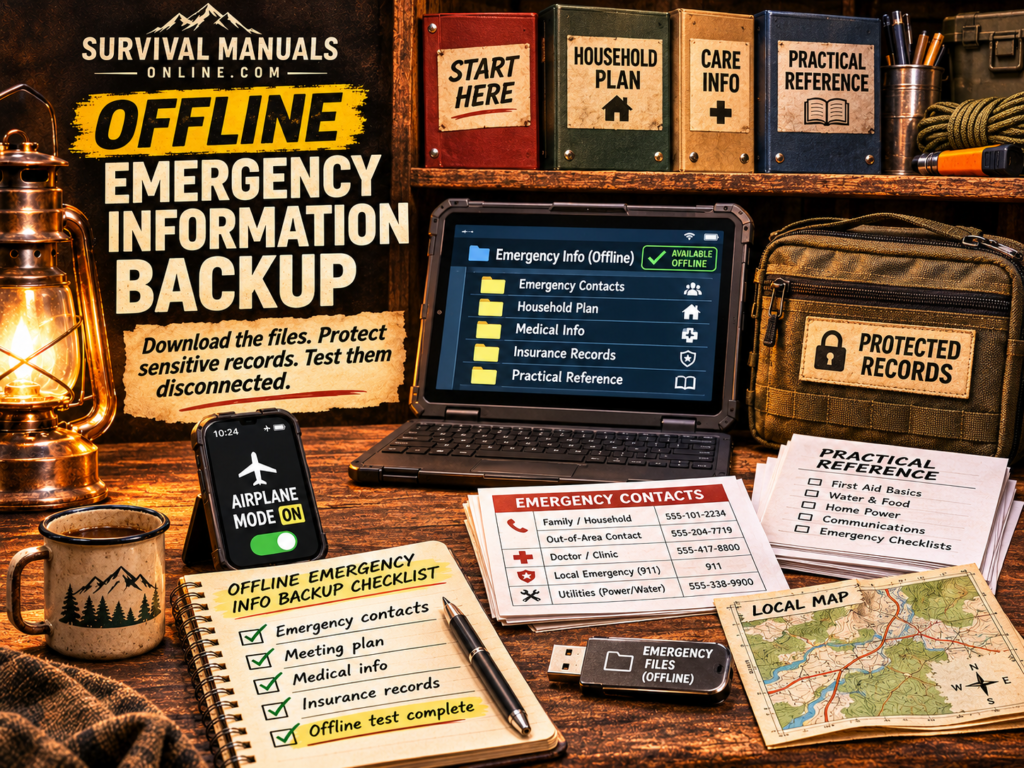
An offline emergency information backup is a set of useful files you have actually opened without a connection—not a folder of bookmarks or a cloud-storage icon. Build a small working set on a device you use, protect the sensitive records, and keep another copy outside that device’s failure path.
The final step matters most: disconnect, find the information, and use it. A file that only opens after signing in again has not passed the test you built the backup for.
Start with the decisions the information must support
Do not begin by copying every document you own. Begin with the questions your household may need to answer: Who do we contact? Where do we meet? What care instructions already apply? Which provider do we call? Where are the important records?
The American Red Cross recommends carrying emergency contacts in writing as well as saving them on phones. Use that principle for the rest of the backup: information should be findable by the people who need it, through more than one route.
| Folder or sheet | Useful contents | Access decision |
|---|---|---|
| 00 — Start here | A dated index, emergency contacts, and where to find each plan. | Keep only what belongs on a quick-access sheet. |
| 01 — Household plan | Meeting places, responsibilities, pickup arrangements, and useful local maps. | Make the plan available to the responsible people named in it. |
| 02 — Care information | Current provider contacts and copies of existing care instructions. | Treat health and personal information as sensitive. |
| 03 — Protected records | Selected identification, insurance, and recovery documents. | Use protected storage rather than an openly shared folder. |
| 04 — Practical reference | Downloaded guidance and instructions for equipment you actually own. | Check that the document itself is saved and readable. |
The names are examples. Keep the structure shallow enough that another responsible adult can find a document without remembering your filing system.
For records selection, CDC’s emergency paperwork guidance identifies insurance information, personal identification, and existing care plans. Include the records relevant to your household; do not collect sensitive material merely to fill a checklist.
Separate quick access from sensitive records
A contact sheet and a passport scan do not need the same distribution. You may want several people to carry a short phone list. That does not mean each copy should also contain identity numbers, financial records, or account-recovery secrets.
Keep the quick sheet limited to what helps someone act. Put sensitive electronic records in storage protected by a strong passphrase and appropriate encryption. North Carolina Emergency Management’s financial first-aid guidance recommends secure storage and password-protected electronic copies on removable media.
Do not weaken your device’s lock or remove encryption to make the backup easier to reach. Instead, test the normal unlock and access process while conditions are ordinary. If another person is supposed to use the protected records, agree on an authorized access method beforehand.
Keep recovery information for an encrypted backup in a separate protected place. A forgotten passphrase creates an availability problem; leaving it openly beside the device creates a privacy problem. Solve both through a method you can explain and test.
Download the information, not the route to it
A saved link still needs the site behind it. A cloud document may still need authentication. A file name visible in a storage app may represent an online-only file.
Use the application’s actual download or offline-copy function. For straightforward reference, a readable PDF, text file, or image can be easier to test than a chain of links. Save any essential attachments too. Check small print and diagrams at the size you can realistically read on that device.
For a map, confirm that the relevant area and any information you need are available offline. A screenshot of one road is not a replacement for a wider navigation plan. The map-reading guide covers the underlying skill.
Keep a second usable copy
A local folder solves connection loss. It does not solve losing the phone, a failed drive, damage to the device, or a drained battery.
The Canadian Centre for Cyber Security’s backup guidance recommends offline backups, encryption, and testing. It also explains the 3-2-1 approach: three copies, two media types, and one copy off site. Those are useful resilience principles, not a reason to delay your first working household copy.
Choose a second device or protected removable copy you can actually use. A USB drive is not useful to a phone that cannot connect to it. Test the connector, reader application, and decryption process instead of assuming compatibility.
Keep a paper copy of the small set of instructions and contacts needed when a screen cannot help. Protect it from loss, water, and unnecessary disclosure. Use the existing emergency-binder worksheets for the household contact, meeting, and handoff information rather than building a second competing binder.
Test your offline emergency information backup
- Check the finished downloads. Wait for copies to finish and note when the information was last reviewed.
- Remove the connection. Enable airplane mode on the test device and explicitly switch Wi-Fi off too. Confirm you are not relying on a remaining connection.
- Start from the device’s normal home screen. Open the files through the route you expect to use during an outage.
- Find three answers. Locate a household contact, the meeting plan, and one protected record or practical instruction.
- Check actual usability. Unlock protected files normally; zoom a document; open an essential attachment. A thumbnail alone does not count.
- Test the second copy separately. Use its intended device and access method. Then confirm that another authorized household member can locate the information they are responsible for.
Write down any point that sends you back to a login, network request, missing application, or absent cable. Fix it and repeat the failed step. Reconnect the device after the test.
This is a check of document access, not proof that every emergency will be manageable. It answers a narrower and useful question: can the right person reach this information without the connection?
Keep the working set current
Put a review date on the index. Update the set when contacts, care instructions, addresses, insurance, or household responsibilities change. Remove superseded copies so someone does not act on an old plan because its file name looked familiar.
Review the backup alongside your emergency-kit maintenance routine. Use the family communication plan for the communication decisions; the backup’s job is to keep those decisions accessible.
An offline information set handles one dependency: access to instructions and records. The Cyberattack Survival System connects that work to the supplies and household plans needed when payment, logistics, and service networks are unavailable.
Finish with a test, not a folder name. If you can find it, open it, and use it while disconnected, you have built something more useful than another saved link.
Sources
- American Red Cross: Make a Plan — written and phone-based contact information.
- CDC: Paperwork — relevant identification, insurance, and care records.
- NC DPS: Making a Financial First Aid Kit — secure records and electronic copies.
- Canadian Centre for Cyber Security: Tips for Backing Up Your Information — independent, protected, tested copies.